
Setup 13 of 14
Add sites and share edits with team members
On Pro, one plan covers up to 3 sites, and you can share edits with up to 2 people besides the owner. You do both from the dashboard.
- Required?
- Optional (Pro)
- Where you do it
- Dashboard
Add a site
Step 1Enter the site URL in Sites
Open Sites in your dashboard, enter the URL in “URL of the site to add” and click “Check and add site”.
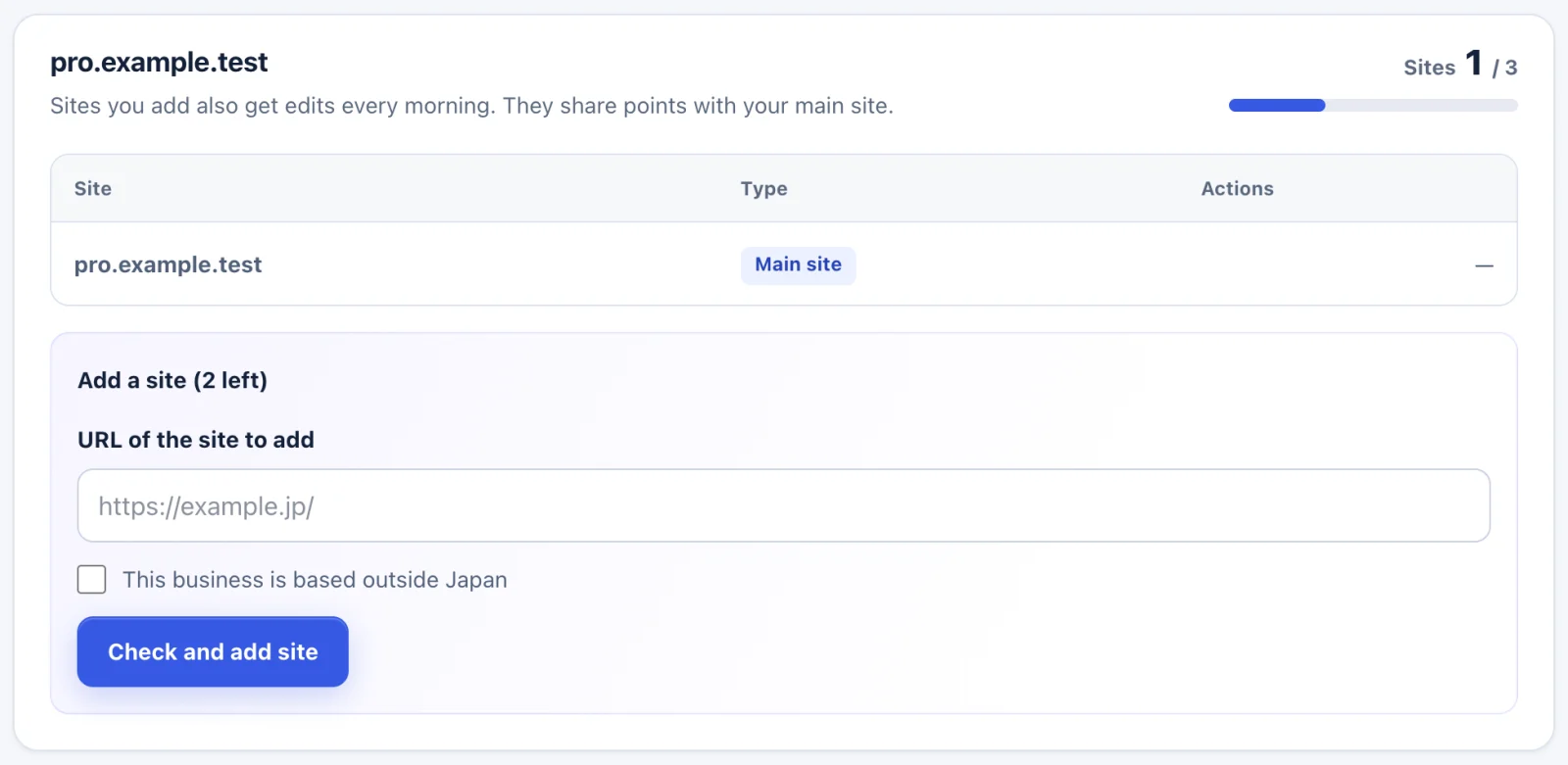
- Enter the URL in “URL of the site to add”.
- Click “Check and add site”.
Step 2Connect each added site
Google data and WordPress are connected per site. For each added site, follow the Search Console, Google Analytics and WordPress guides as well.
You can add sites that are treated the same way as your plan’s site: based in Japan, or based outside Japan.
Share with members
Step 1Enter their email address and click Allow access
Open Members in your dashboard.
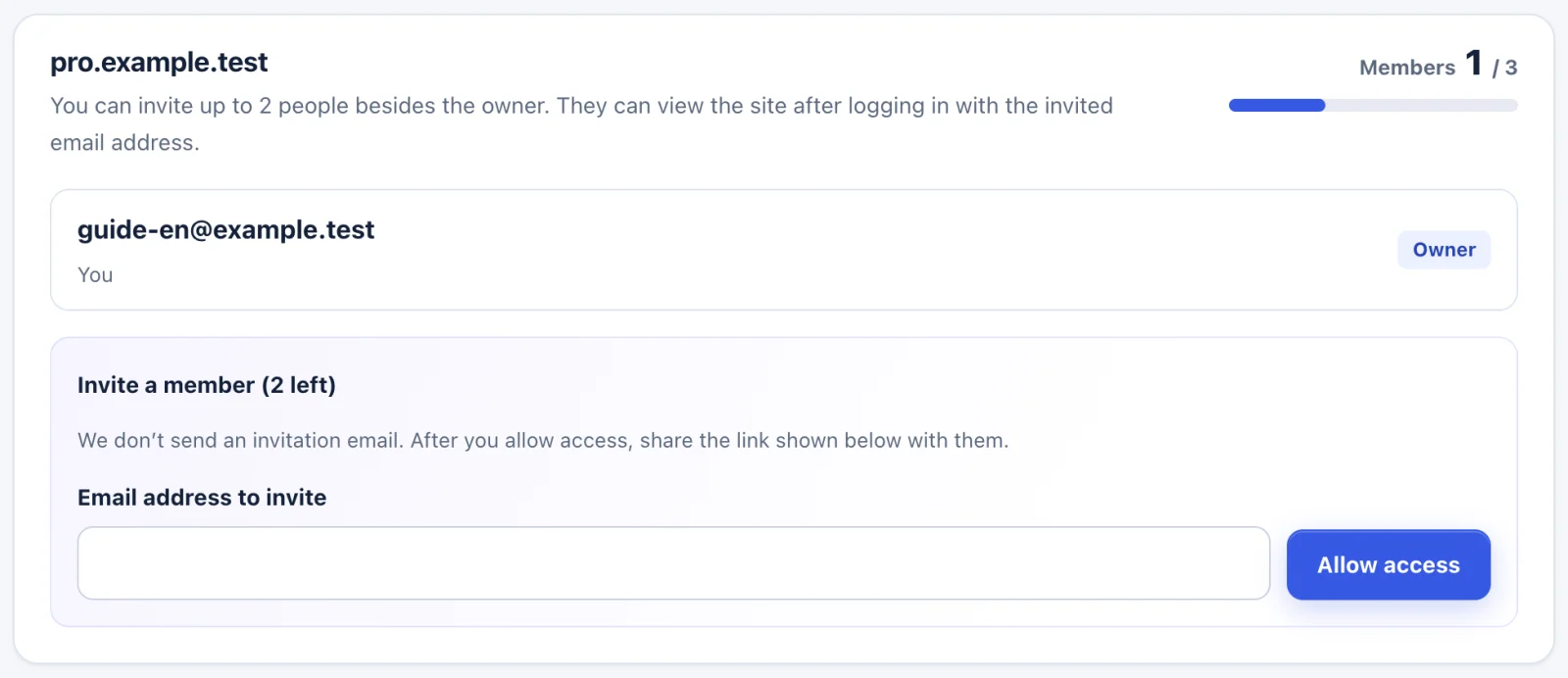
- Enter the other person’s email address in “Email address to invite”.
- Click “Allow access”.
Step 2Copy the invite link and send it yourself
We don’t send an invitation email. After you allow access, an invite link appears. Click “Copy invite link” and send it by email or chat.
Step 3They log in
When they log in with the invited email address, they can see the shared edits.
Settings for your developer (Growth and Pro)
If you connect a custom-built site or CMS through the API, send the site integration guide to your developer. You create API keys under “API” in the dashboard. A key is shown only once, when you create it.
Troubleshooting
- “This site is already in use or has a sign-up in progress.”
- The same site is used under another plan, or a sign-up for it is still in progress.
- “You can have up to 3 sites.”
- The limit is 3 sites including your plan’s site. Remove a site you don’t use, then add the new one.
- A member can’t see the edits
- Check that the invited email address and the address they logged in with are the same.
If the steps don’t match what you see, contact us with your site URL and the screen where you got stuck. Please don’t send passwords.